
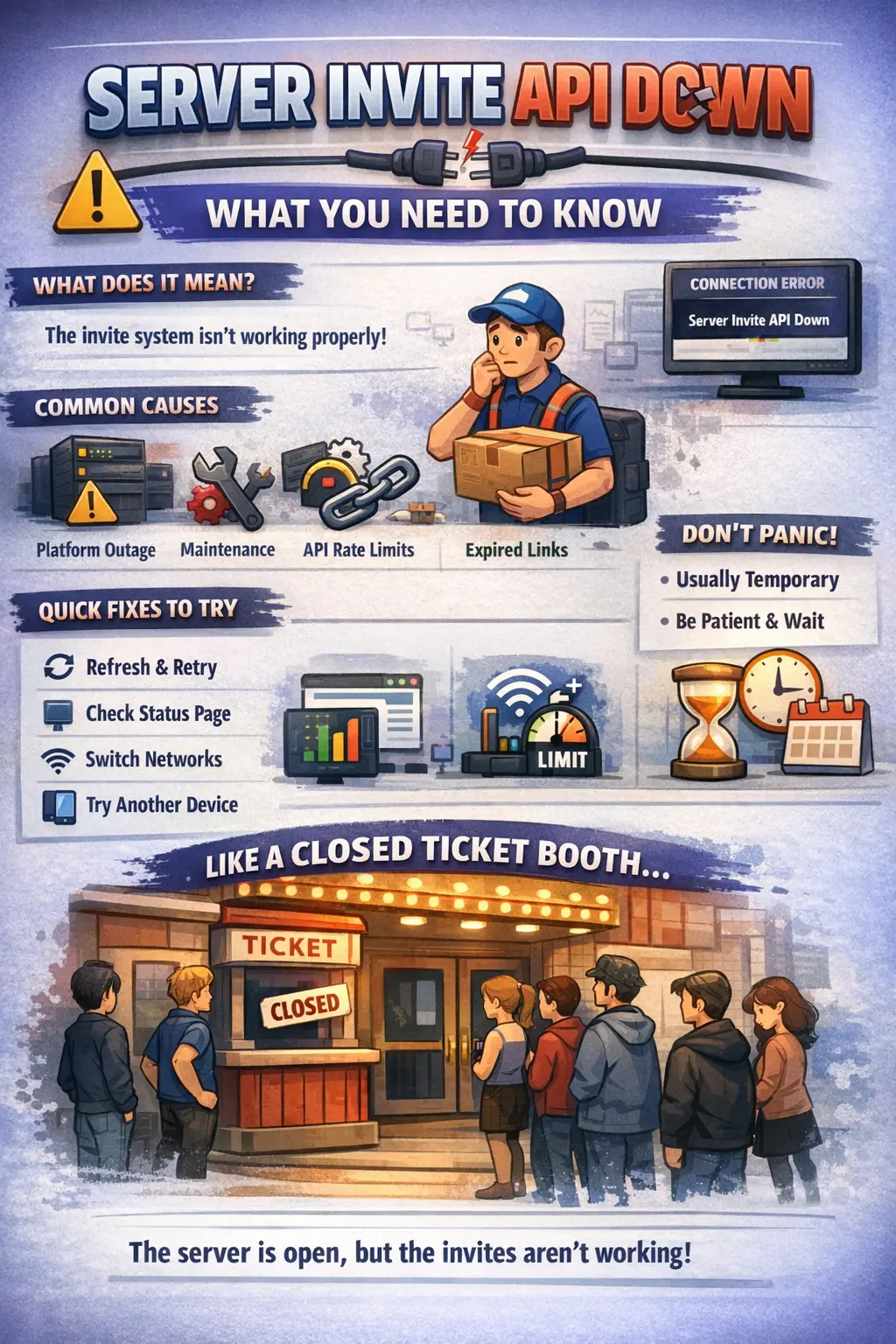
Trying to join a server and suddenly seeing the message “server invite API down” can be frustrating. Everything seems normal one moment, then the invite link refuses to work the next.
The good news is that this issue is usually temporary. In most cases, it is not caused by anything you did wrong.
This guide explains what the error means, why it happens, and what steps you can take — all in simple, easy-to-understand language.
What Does “Server Invite API Down” Mean?
When you see this error, it simply means that the system responsible for processing server invitations is not responding correctly.
Think of it like this:
You click an invite link expecting access to a server. Behind the scenes, a system (the API) verifies that link, checks permissions, and connects your account. If that system stops working, your request cannot be completed.
It is not that the server itself is gone. It is just that the “gatekeeper” handling invites is temporarily unavailable.
Why Invite APIs Are Important
Invite APIs work quietly in the background, but they handle critical tasks such as:
- Verifying whether an invite link is valid
- Confirming that you have permission to join
- Adding your account to the server
- Monitoring invite usage and limits
If this system fails, new members cannot join — even if everything else appears to be working normally.
When Does This Error Usually Appear?
The message often shows up in situations like:
- Clicking on a shared invite link
- Accepting a friend’s server invitation
- Joining a rapidly growing community
- Using tools or bots that depend on invite links
If several people experience the same issue at once, the problem is almost certainly on the platform’s side.
Common Causes of the Error
Let’s look at the most frequent reasons behind this problem.
1. Platform Outages
The most common cause is a temporary service disruption. This can happen because of:
- Heavy user traffic
- Unexpected system failures
- Ongoing maintenance
When too many requests hit the system at once, parts of the platform may slow down or stop responding.
2. Maintenance Work
Sometimes platforms perform updates behind the scenes. During these updates, certain features may briefly stop working.
Invite systems are often affected first because they rely on real-time processing.
3. API Rate Limits
APIs have built-in limits to prevent overload.
If there are too many requests in a short time — for example:
- A server going viral
- Automated bots generating invite traffic
- Sudden spikes in activity
The system may temporarily block new requests, triggering this error message.
4. Regional Connectivity Problems
In some cases, the issue may only affect specific areas.
Internet routing problems, data center issues, or local ISP disruptions can interfere with the invite system in certain regions.
5. Invalid or Expired Links
Not every invite error means the entire system is down.
Sometimes the link itself may be:
- Expired
- Disabled by the server owner
- Limited due to membership caps
Unfortunately, the error message can sometimes look similar to a broader outage.
How to Check If the Issue Is Local or Platform-Wide
Before making changes to your device or app, ask yourself:
- Are other platform features working?
- Are other people seeing the same error?
- Does the issue happen on multiple devices?
If others are experiencing the same thing, it is very likely a platform-side problem.
Quick Fixes to Try
Here are a few simple steps that may help:
Refresh and Try Again
Close and reopen the app or refresh the page. Minor system hiccups often resolve within minutes.
Check Official Status Updates
Many platforms provide live status pages or social media updates. Look for any reports of outages or maintenance.
Switch Networks
Try using mobile data instead of Wi-Fi, or connect to a different network to rule out local connectivity issues.
Use Another Device or Browser
If it works elsewhere, clearing your cache or updating the app may solve the problem.
What You Should Avoid
When this error appears, resist the urge to:
- Click the invite repeatedly
- Reinstall the app multiple times
- Use unofficial tools to bypass the issue
- Share account details with others
These actions rarely help and may create additional problems.
How Long Does It Typically Last?
Most invite API issues are resolved quickly.
Based on common reports:
- Minor disruptions: a few minutes
- Moderate outages: up to a couple of hours
- Major incidents: several hours
Extended outages lasting an entire day are uncommon.
A Simple Comparison
Imagine a theater that is fully operational inside — actors ready, lights on, audience seats available — but the ticket scanner at the entrance stops working.
Even though everything inside is fine, no new guests can enter.
That scanner is like the invite API.
Advice for Server Owners
If you manage a server, consider the following:
Keep Backup Invite Links
Create multiple active links with longer expiration periods.
Monitor Bot Activity
Automated tools can generate excessive invite requests. Review permissions and reduce unnecessary traffic.
Communicate Clearly
Let your community know if there is a temporary invite issue. Transparency prevents confusion.
Tips for Developers
If your application depends on invite APIs:
- Implement retry mechanisms
- Display clear error messages
- Log API failures for troubleshooting
- Respect rate limits
Handling errors gracefully improves user trust.
Why Does This Problem Recur?
Large platforms are complex systems.
As user numbers grow and features expand, the invite system faces more pressure. Occasional disruptions are difficult to eliminate entirely.
Is It a Security Concern?
In most situations, no.
This error typically signals a temporary service issue, not a data breach or account compromise.
Unless the platform announces otherwise, your information remains secure.
When to Contact Support
Consider reaching out if:
- The problem lasts longer than 24 hours
- Only your account seems affected
- Additional unusual errors appear
Providing details such as the invite link, time of occurrence, and app version can speed up assistance.
Also Read This
Sovereign Foods Quality Control Matric Qualification Criteria
Frequently Asked Questions
Is this my fault?
Almost never. It is typically a system-side issue.
Can a VPN cause this?
Occasionally. Some VPN routes may interfere with API connections.
Does reinstalling fix it?
Only if other features are also malfunctioning.
Will the invite expire while I wait?
If the link is still active, you should be able to use it once the system is restored.
Final Thoughts
Encountering a “server invite API down” message can feel abrupt and confusing. However, in most cases, it is temporary and resolves without any action needed on your part.
Check for updates, try again later, and avoid unnecessary troubleshooting steps.
Once you understand what the message really means, it becomes far less stressful — just a brief technical pause before you can join successfully.
